
最近深度使用过后,感觉效果真的很不错,录屏效率和质量都提升了很多。感谢兄弟的产品!
DemoGet - Make Every Demo Eye-Catching
Supports 4K export, download and use now.
Download for Mac
macOS 13.0 and above
Product Advantage
Why Should You Use This Tool?
When you need a video, toleadersshowcase yourperformance, in order to getpromotion.
Is this what you do? 🤔
✔Spend a lot of time planning content and preparing presentations(Spend 30minutes)
✔Spend a lot of effort trying to explain things clearly and make your point understood(Spend 30minutes)
✔Spend a lot of time on appearance to make yourself look presentable(Spend 30minutes)
✔Spend time on post-editing and masking to avoid privacy leaks(Spend 30minutes)
✔Spend a lot of money on professional software for video editing(Spend 30minutes,Spend $400)
Total spend 3hoursTotal spend $400 hassles🌧️
↓
There's an easier way
Loading video player...
Capture Audience Attention
Save 30 minutes
Through carefully designed interactive experiences, keep your audience's attention focused on important content
Beautiful Video Background
Customize background, corners, and shadows to make your video stand out at first glance
Smooth Mouse Trajectory
Intelligently optimized mouse movement to guide audience attention and make demonstrations more professional
Custom Mouse Style
Unique mouse style that catches the eye and makes your presentation stand out
Loading video player...
Clear Communication
Save 30 minutes
Make your explanations clearer and more professional with smart annotation tools
Smart Auto-zoom
Automatically zoom in on details based on your actions, ensuring viewers don't miss any important information
Camera + Voice Narration
Support for camera recording with voice narration for more engaging demonstrations
Real-time Annotation
Highlight key points while explaining for clearer presentations (In Development)
Loading video player...
Save Editing Time
Save $300
Say goodbye to tedious editing processes and make creation more efficient
Built-in Editing Features
Quick cutting, speed adjustment, and volume control without import/export
Automatic Detail Enhancement
Intelligently enhance key operations to make videos more professional
Privacy Protection
Privacy Protection
Save 30 minutes
Make recording safer and sharing more secure
Camera Background Switching
Intelligently switch camera backgrounds to protect personal privacy
Quick Video Masking
One-click masking of sensitive information to prevent privacy leaks (In Development)
Perfect Appearance
Perfect Appearance
Save 30 minutes
Present your best self in every video
Smart Beauty Features
One-click beauty enhancement for confident on-screen presence (In Development)
Virtual Avatar
Support for virtual avatars, allowing shy users to present confidently (In Development)
Development Plan
Product Roadmap
Check out our development progress and upcoming features
Completed Features
Beautiful Background and Visual Optimization
Add beautiful backgrounds, adjust corners and shadows to enhance visual appeal. Support custom mouse styles to enhance visual effects.
Mouse Movement Optimization
Automatically optimize mouse movement trajectory for smooth effects and guide user attention.
Automatic Detail Zoom
Automatically zoom in on details based on recording operations to improve presentation clarity.
Camera and Voice Support
Support camera recording with voice narration for clear content delivery.
Built-in Editing Features
No third-party software needed, supports quick cutting, speed adjustment, and volume control.
Privacy Protection
Switch camera background to avoid privacy leaks. Hide desktop icons for further privacy protection.
Recording Features
Support pause recording for flexible control. Support area recording for precise range selection. Support system sound recording to ensure audio completeness.
Dynamic Camera Layout
Flexibly adjust camera layout to optimize video presentation.
Custom Watermark
Support personalized watermarks to enhance brand identity or copyright protection.
Coming Soon
Video Masking
Price Increase After CompletionSupport masking sensitive information in videos.
iPhone Recording
Price Increase After CompletionSupport iPhone screen recording.
Window Recording
Support recording specific application windows.
Coming in 3 Months
Video Annotation
Support adding annotations and marks to videos for better explanation.
Beauty Filter
Price Increase After CompletionSupport real-time beauty filters for camera recording.
Auto Subtitle
Support automatic subtitle generation and translation.
Future Development
Avatar Feature
Price Increase After CompletionSupport virtual avatars, allowing users to appear without showing their face, ultimately achieving digital virtual human narration.
3D Promotional Mode
Price Increase After CompletionSupport creating 3D effect promotional videos to enhance visual impact.
Press Conference Mode
Price Increase After CompletionSimulate press conference scenarios to optimize presentation and display effects.
AI Features
Price Increase After CompletionAI video translation (including lip sync, voice modification, MCP conversion, automatic editing).
My Story
Why I Created This Tool
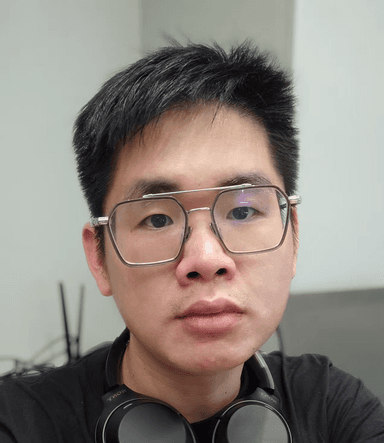
This software was personally developed by me
30K
GitHub Stars
Maintained Project
View Profile
10K
Own Project
Personal Project
40K
Followers
Content Creator
View Profile
From Corporate Programmer to Solo Founder
I used to be a programmer at a big company. I had everything going for me - strong technical skills, open source contributions, and a growing social media presence.
In a promotion interview, my manager rejected my application, claiming that my presentation video wasn't prepared with enough care.
But the truth was, I was more capable than any of them. As an open source maintainer with 30K stars and a content creator with 40K followers, I understood the importance of every presentation better than anyone.
As a content creator, I should have known better - every demonstration matters. It's my careful presentation that earned me those followers.
To ensure every future presentation is carefully prepared, I built an automated screen recording and editing software that solves exactly this problem.
This is why I built this tool
Every demonstration deserves to be perfect. Let technology handle the tedious editing work, so you can focus on what really matters - your content.
Verify my credentials:
Pricing Plans
One-time Purchase, Lifetime Use
Various pricing plans to meet different needs
FAQ
Most Frequently Asked Questions
Click to see more questions
Customer Recommendation
See What Our Users Are Saying?
Compared to other solutions on the market, our users prefer our product because it is simpler to use, more powerful, and most importantly, more affordable.

我上个礼拜嫖了个29美金的,昨天把手上一个报价1.9万澳币的设计项目录屏了演示视频. 晚上收到客户邮件说开始干活. 多谢老板.

体验了下Windows测试版感觉这个自动缩放确实方便,期待win正式版出来立马入

前不久很想付费买 screen studio , 而这个录屏软件太坑了, 收费太贵,还不是永久的。 今天终于用上了高端的录屏软件, 感谢 @lxfater 兄和他的亲儿子 DemoGet 。 用起来真的很丝滑 demoget.com
体验了下Windows测试版感觉这个自动缩放确实方便,期待win正式版出来立马入
好产品就是最好的营销,可以做到自发的传播
体验了下Windows测试版感觉这个自动缩放确实方便,期待win正式版出来立马入
当你想给官方提优化建议又不知道该如何具象化展示的时候,demoget一下,还能得到官方的点赞😄x.com/ZS_JOSH/status…

下载体验了 fellou 浏览器。发现还是有很多细节需要打磨,比方说标签页的文字字重,导航栏的功能字体间距等,还有这里Hover(鼠标悬浮 )时的 UI 样式,也有待优化。目前看更像是一个 beta 版。过段时间再使用看看吧。 PS ,也算是用上了铁锤哥的录屏软件了,哈哈😁

支持一波,很好用,特别是现在加了剪辑功能

铁锤兄的 Demoget 录屏软件,可以自动放大鼠标点击区域,省去自己配置,这太香了吧!!! demoget.com/zh

为什么你应该使用DemoGet这个工具? 当你需要一个视频,向学生讲明白东西,以便让他们购买课程的时候 当你需要一个视频,向粉丝展示你的内容,以获取关注量的时候 当你需要一个视频,向客户展示你的方案,以获取成交的时候 当你需要一个视频,向领导展示你的业绩,以获取晋升的时候

@lxfater 买了 demoget,太好用了
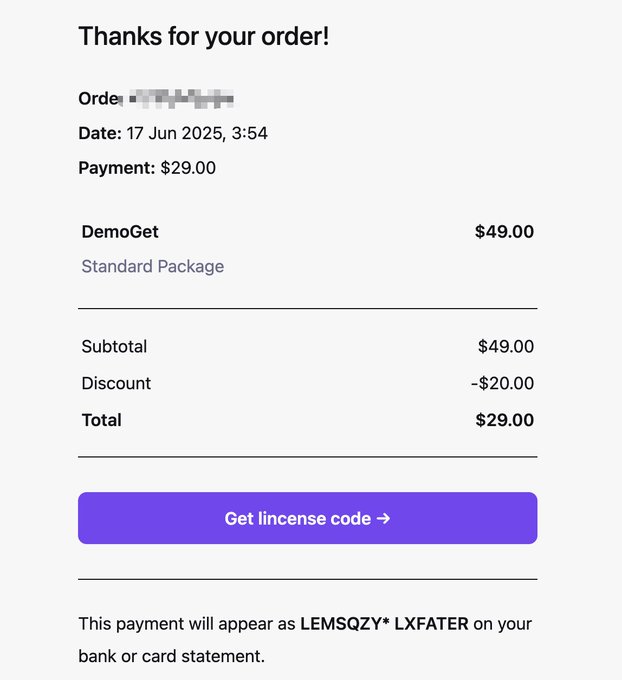

铁锤老师生猛,一直犹豫screen studio还没下单, 为🩷付费, 有良知的这种一次性买断制,是我喜好的买单模式!为很多软件都买的这种付费模式! 没成想这个DemoGet还拿到这么多福利,@lxfater 🙇♂️ 加速接下来的万粉不是梦!一起冲冲冲!
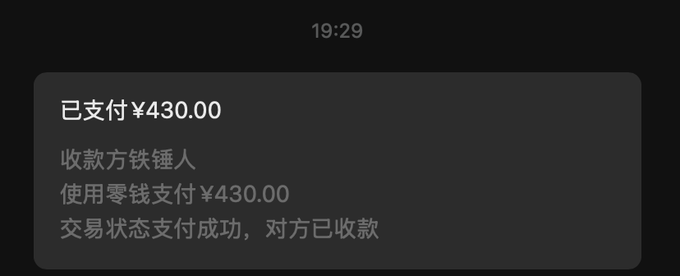
一样丝滑,但比screen studio,便宜3倍,导出快一倍 最近开发没收入🤡,现在推出创始人套餐: 2台设备,售价60美金,终身升级(对方229更新一年) 前30名购买有额外福利如下: 1. 创始人1v1微信好友支持 2. X 两次友情转发,宣传合规产品的机会 3. 半个小时聊聊 1. 如何x快速起号 2.
顺便试用了下 @lxfater 最新出品的 Mac 录屏软件 DemoGet,录了个简单的视频,效果真不错👍!

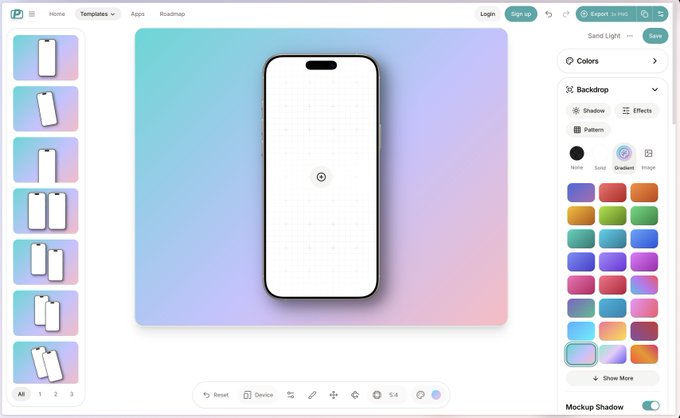
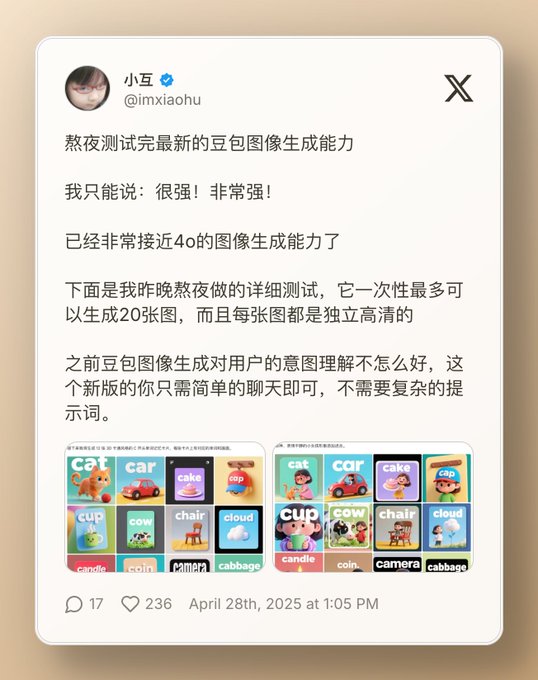
发现了一个功能超强的 shots.so 替代品,比 shots.so 还猛,app 带壳截图 + 推文转图二合一,做内容、搞传播特别方便,分享给需要的小伙伴~
用了 @lxfate 的DemoGet给产品录制了一段演示视频 感觉很不错!

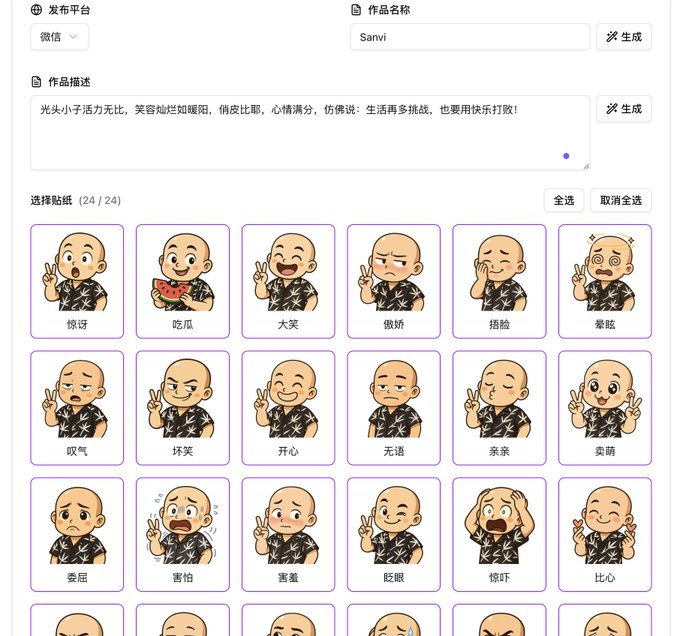
🚀 折腾了 2 个月,终于上线了我的新项目:一个表情包生成器! 📦 stickerai.xyz 使用很简单: 上传自拍 → 选择风格 → 一键生成表情包 → 下载使用 支持微信、LINE等平台贴图使用。 🎨 支持的风格有哪些? 这次我没有“主观凭感觉”去选,而是直接问 GPT:



demoget.com 录屏的 felo.ai 使用体验,都非常棒,非会员有视频实践限制,所以视频有一部分二倍速了。felo的思维导图没转出来,可能网络不行。

自动放大镜头,鼠标轨迹优化,摄像头运动平衡。 4k免费导出,录制后立即成片。 我做的录屏自动编辑软件发布啦!! demoget.com 惯例开一个微信群,下面:👇,老板们多提建议。
Started Recording?
Are you still editing after screen recording? Try our screen recording tool, get a finished video right after recording, making your work more efficient.


